Basic Checks for Stock Variances
Purpose
The Purpose of this SOP is to provide guidelines on what to check if a client experience
high stock variances and the possible causes for the variances
Possible Causes for High Stock Variances
- Offline Sales (Sales Not Posing to R&A)
- The Inventory Count for the current business day has been booked while still trading
- The Inventory Count for the previous day has been cancelled, a new count generated with current business day
- Multiple Stock Counts have been booked for the same day
- Invoices have not been captured
- Invoices captured on the wrong date
- Invoices captured incorrectly (i.e wrong unit used)
- Transfers not captured or captured on the incorrect date
- Transactions (Invoices, Transfers and Waste) captured after the count for a specified date has already been booked
- Menu Items are not linked; therefore, stock is not depleting
- The Book Sales Job is not running; therefore, stock has not depleted
1. Stock Variances due to Offline Sales
- When a Store does not post to R&A it can lead to stock imbalances on MyInventory.
- Please use the SOP - CHECKING MI SALES ON ORACLE.
- If there are imbalances, an SR needs to be logged with Oracle to adjust the sales for the specific date.
2. The Stock Count for Today has already been booked
- Inventory Counts should only be booked off the next day once all the End of day processes have run.
- Stock Counts for the current date should never be booked off on the current date, except if the count is a Spot Check.
- If a count is booked off while the Store is still trading it does not consider the sales that occurred after the count was booked, thus the Theoreticals on the Count is not a true reflection of what the Store should have on hand.
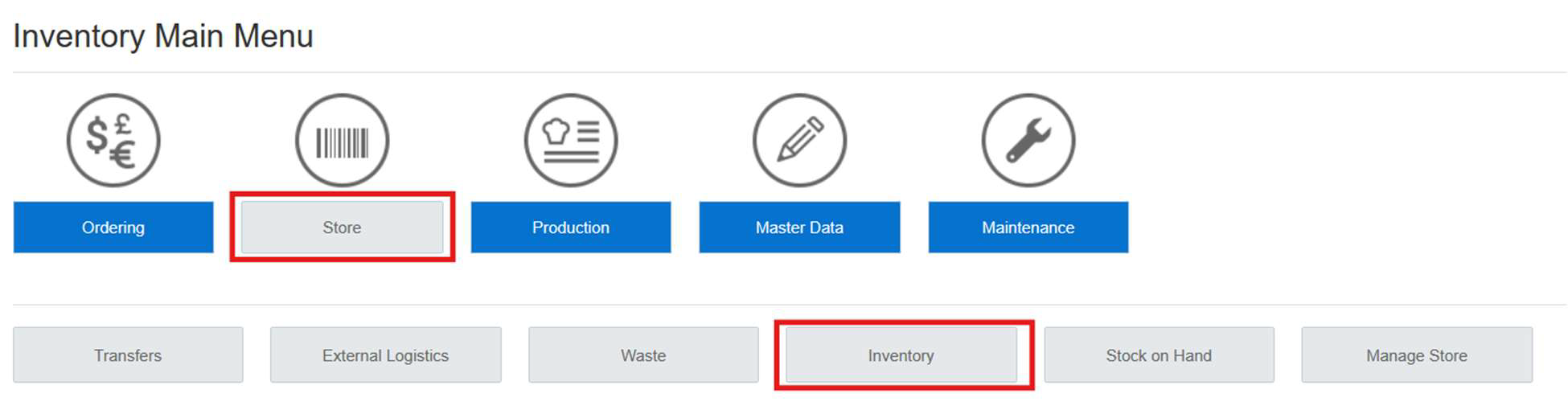
- To check if a count has already been booked, please Navigate to: Store>Inventory>Booked
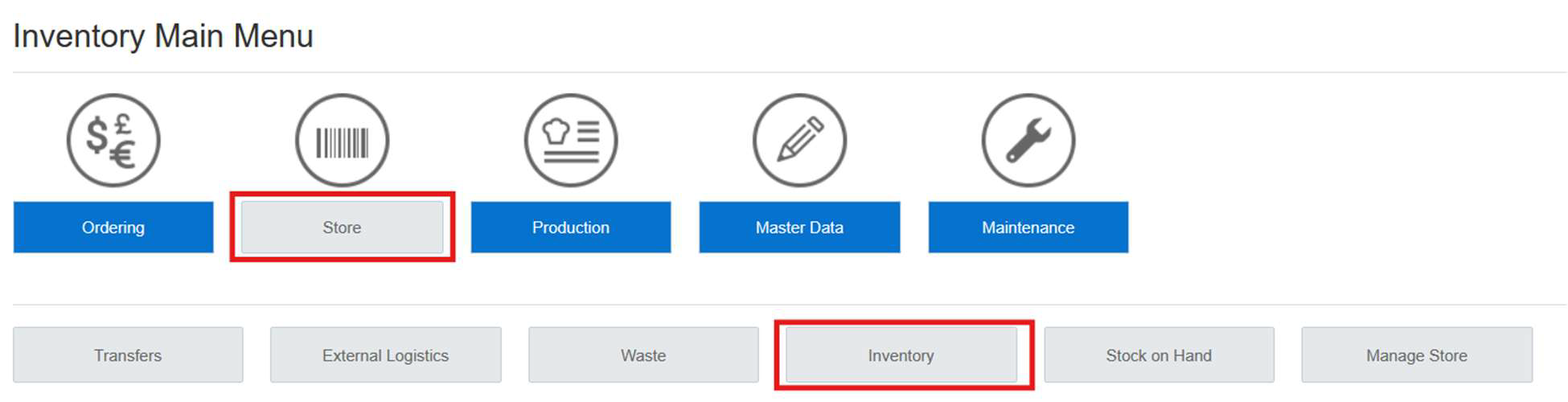
Select today’s date and Cost Center.
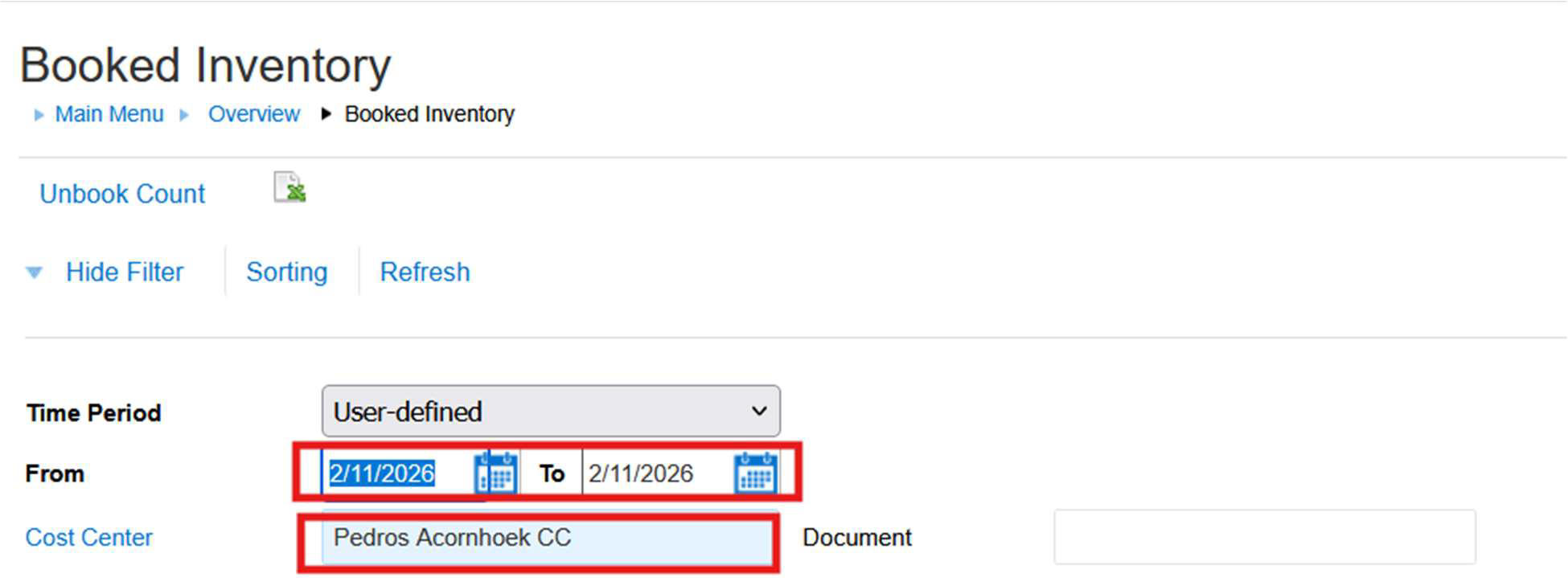
If the Count has already been booked for to today, please follow the SOP – How to Unbook an Inventory Count, to unbook the count.
3. The Inventory Count for the previous day has been cancelled
- It can happen that the previous day’s count was cancelled and a count was created with today’s date.
- This means that there was no booked count for the previous day.
- The Store has most likely created the count after they started trading for today.
- Please note the system will use the SOH (the current Theoreticals) on creation.
- This will distorted the figures as the sales for today have already depleted.
- To check if there is a booked count for the previous day, please follow the steps on point 2.
- If there are no booked count for the previous day, please Navigate to: Store>Inventory>Suspended
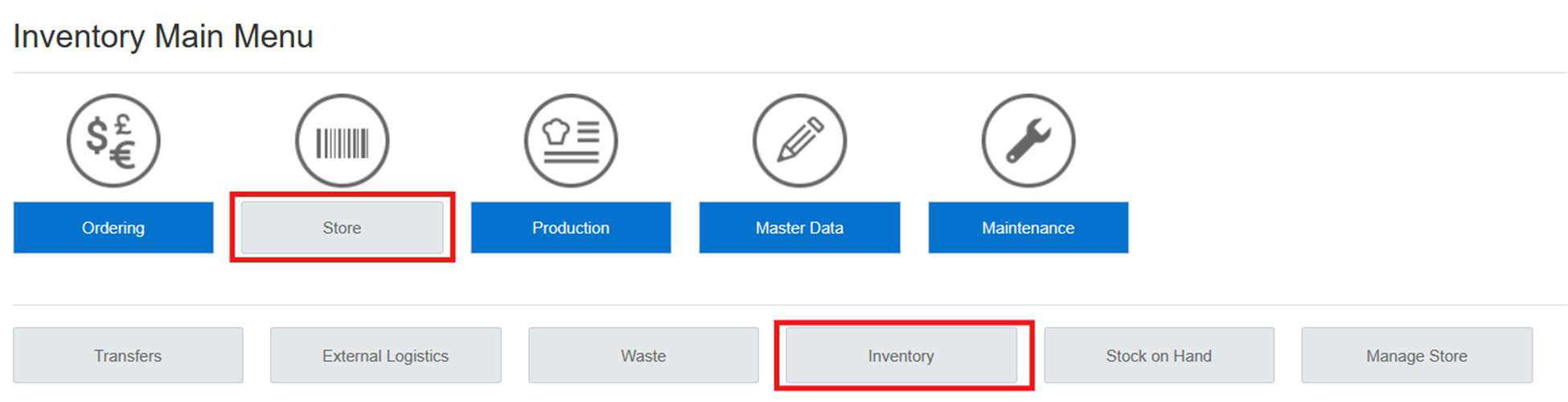
Select today’s date and Cost Center.
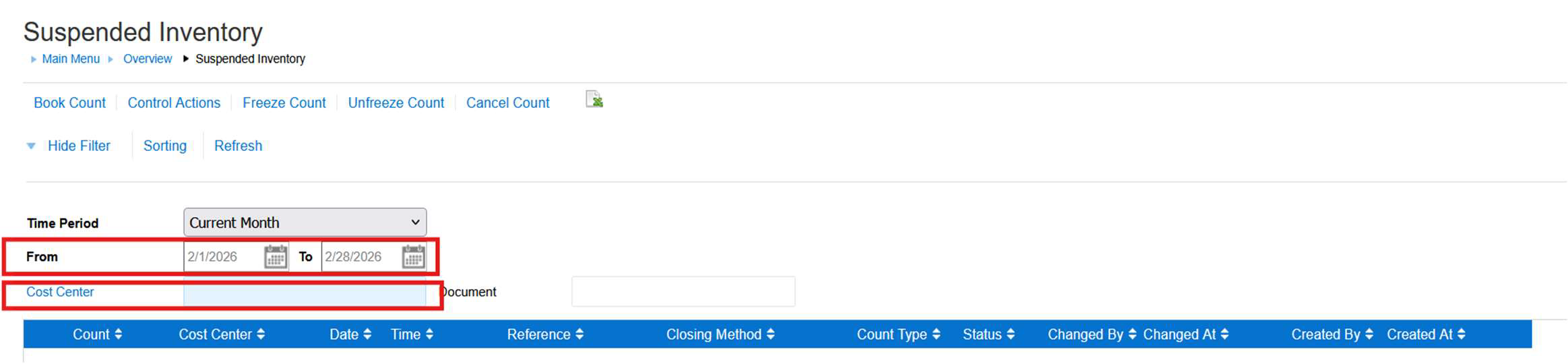
- If the Count has already been created for today, cancel the count and follow the SOP - HOW TO CREATE AN INVENTORY COUNT THROUGH COUNT CYCLES, to create a count for the previous day.
- Alternatively, the Store can use this count to capture stock in the evening and book off the count the following day. There will be no booked count for the previous day, therefore the variances will be combined for the two days.
4. Multiple Stock Counts have been booked for the same day
- Stock variances can also be caused by multiple stock counts being booked off for the same date.
- Please Navigate to: Store>Inventory>Booked
Select the required date and Cost Center.
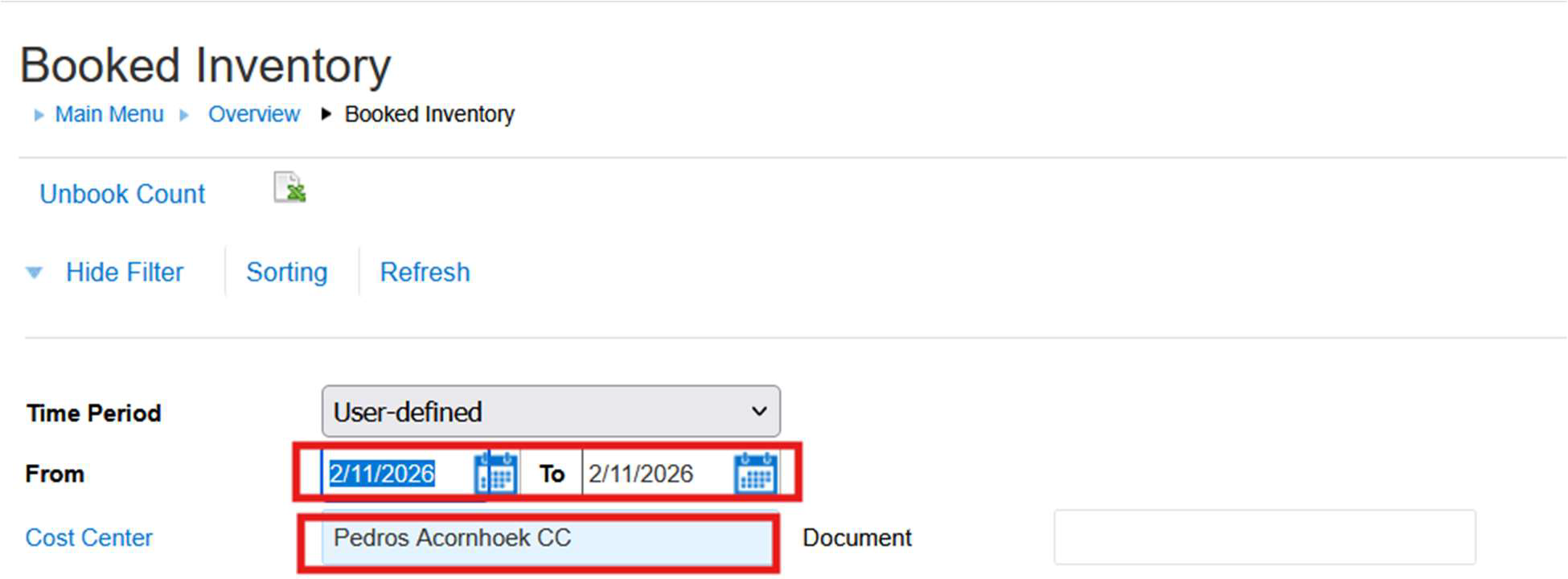
- If there are multiple counts for the same date the system will use the quantities booked off on the last count as the EOD SOH figures. The Store might request for the counts to be unbooked. Please note only the last Booked Count can be Unbooked. The count cannot be cancelled/deleted.
5. Invoices have not been captured
- Stock Variances can be due to Inventory Counts being booked off and the respective Invoice not being captured.
- Stock Variances will show an overage. If a count has been booked off before the Invoices have been captured, the count can be unbooked and the Invoice captured.
- Please check with the client if they have received all the Invoices before they Booked the Inventory Count.
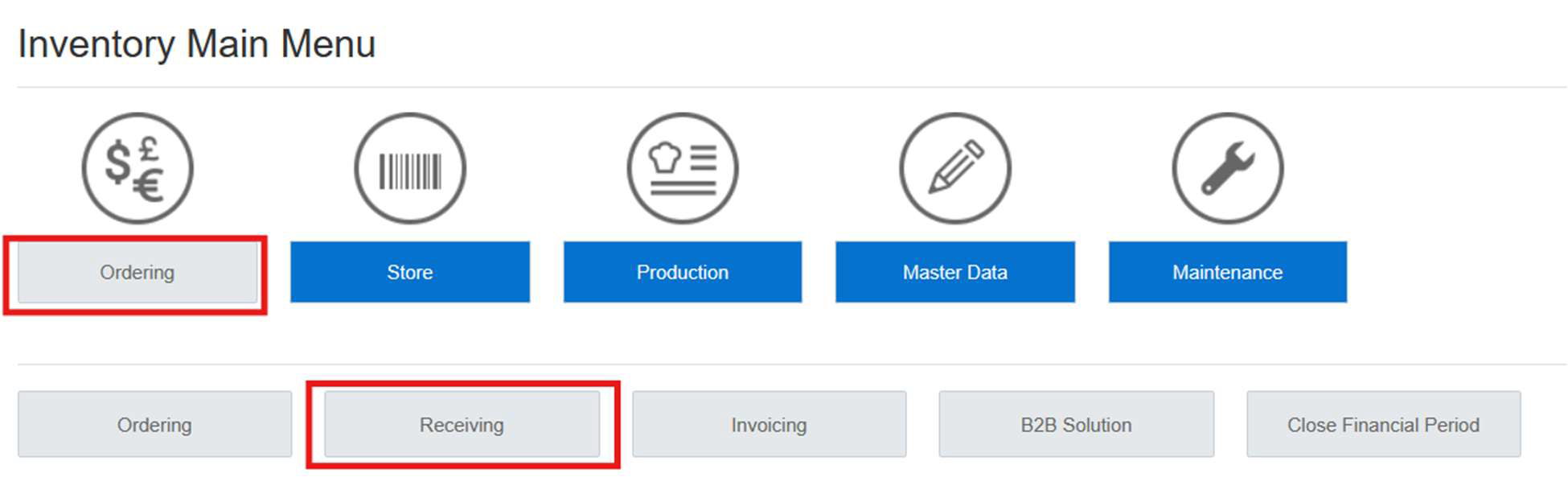
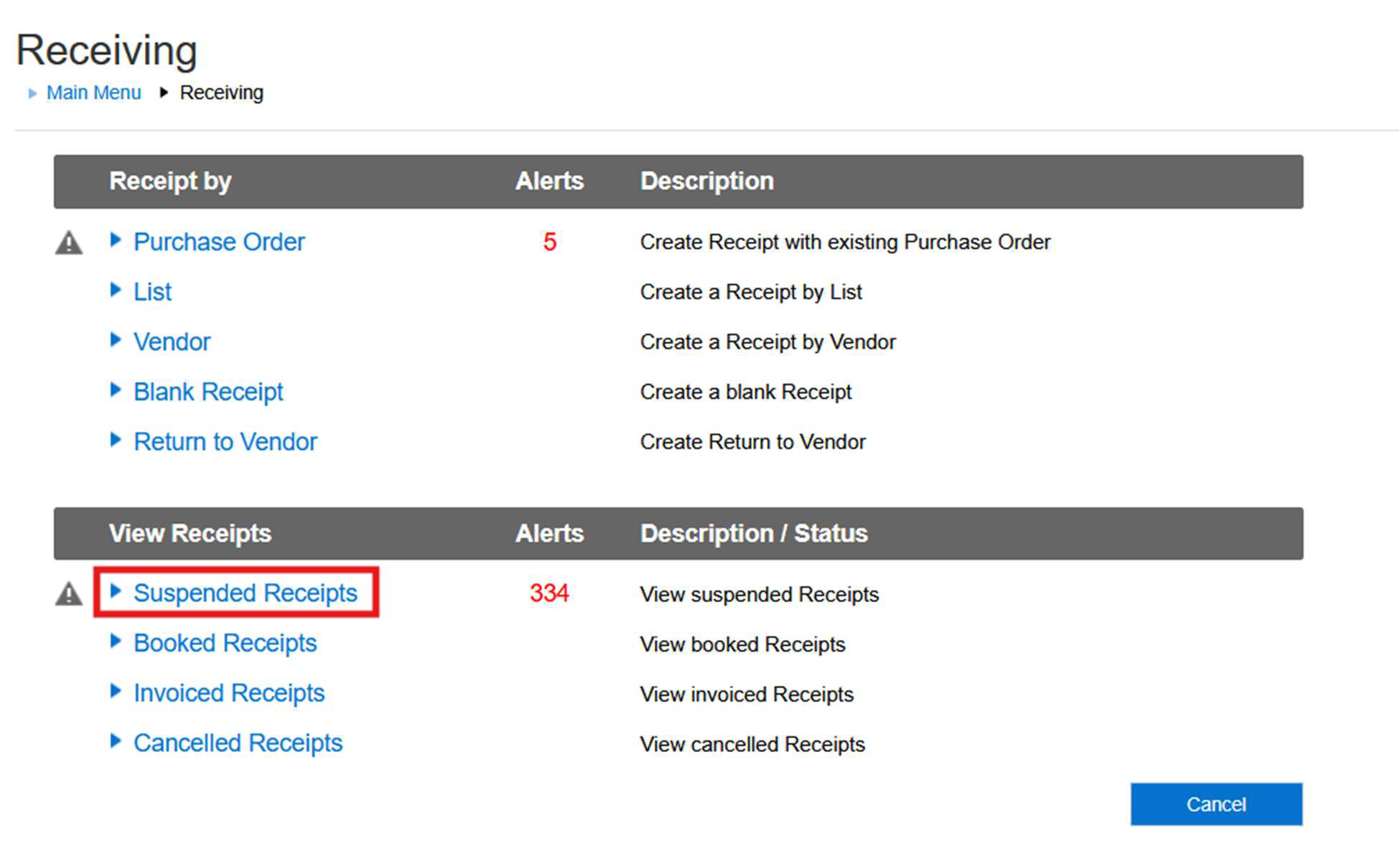
- PLEASE NAVIGATE TO: Ordering>Receiving>Suspended Receipts to check if there are any Invoices that have not been captured
6. Invoices captured on the wrong date
- Stock Variances can be due to Invoices received on the wrong business date. A Store can, for e.g. capture an invoice that was supposed to be received for the previous day with today’s date.
- Stock Variances for the previous day will show as a shortage and will reflect as a positive for the current day.
- If the count has not been booked off for the previous day, a Return to Vendor can be done to credit the invoices received on today’s date and the client can then recapture the invoice for the previous day.
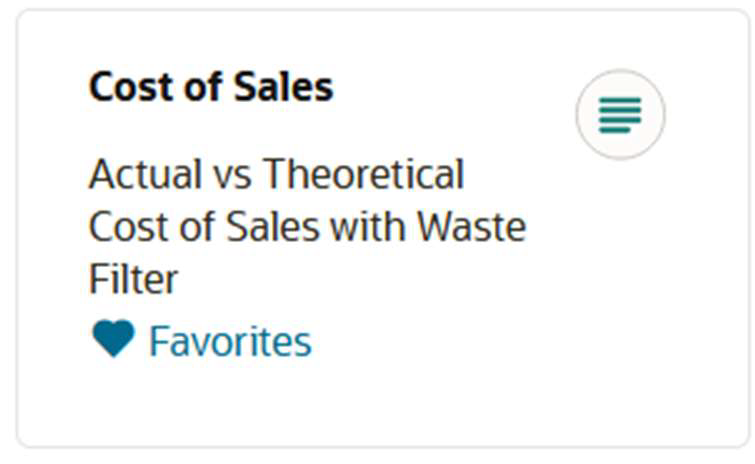
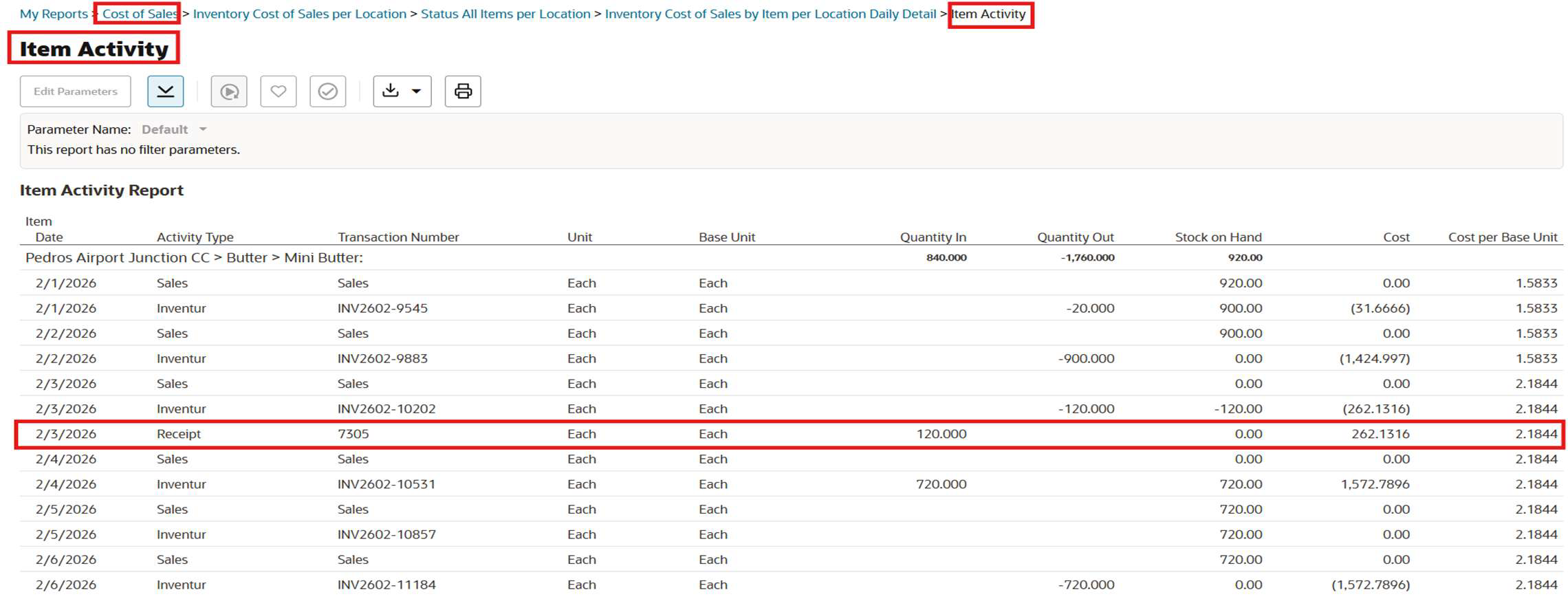
- PLEASE USE THE COS REPORT AND DRILL DOWN INTO THE REPORT UP TO THE ITEM ACTIVITY REPORT. On this report you will be able to check the dates on which the Invoices were capture.
7. Invoices captured incorrectly
- The most common cause of Stock Variances is due to Invoices not being captured correctly.
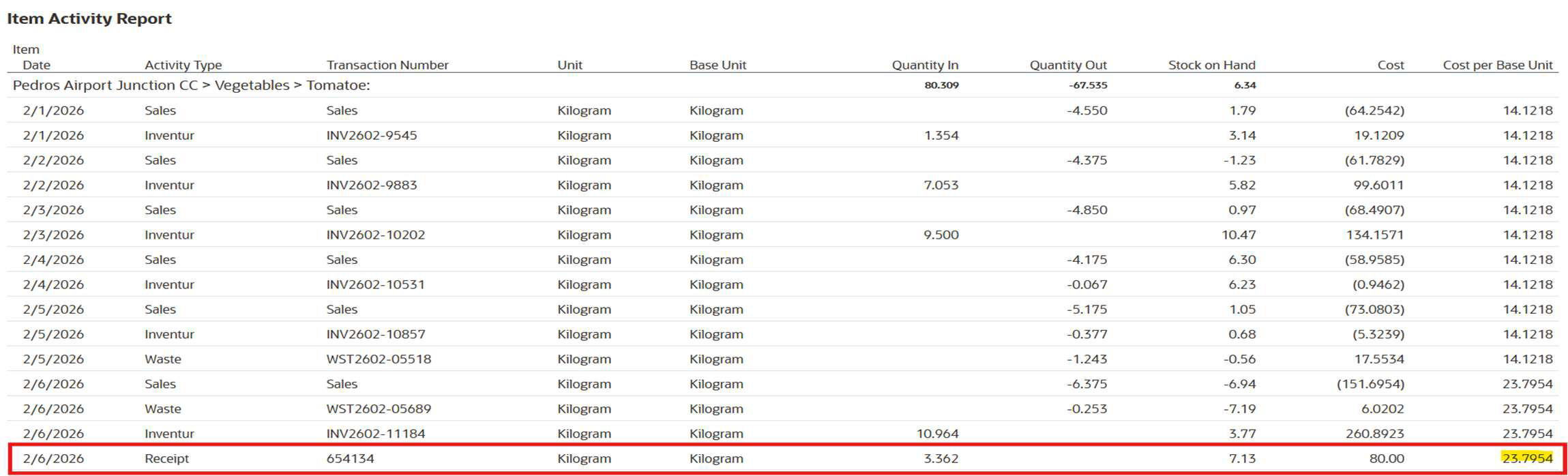
- Variances are mostly caused when stock items are received in the incorrect unit or the incorrect unit cost.
- As per point 6 the Item Activity Report will show this detail and fluctuation in the Unit Cost can easily be identified.
- If an Invoice was received incorrectly, a Return to Vendor needs to be captured the same as the Invoice that was received Incorrectly.
- Once the RTV has been done the Invoice can be re-captured using the correct unit and unit cost.
8. Transfers not captured
- Stock variances can be caused by transfers not being booked.
- Please check with the client if all the respective transfers have been captured for the date in question.
9. Transactions captured after an Inventory Count has been Booked
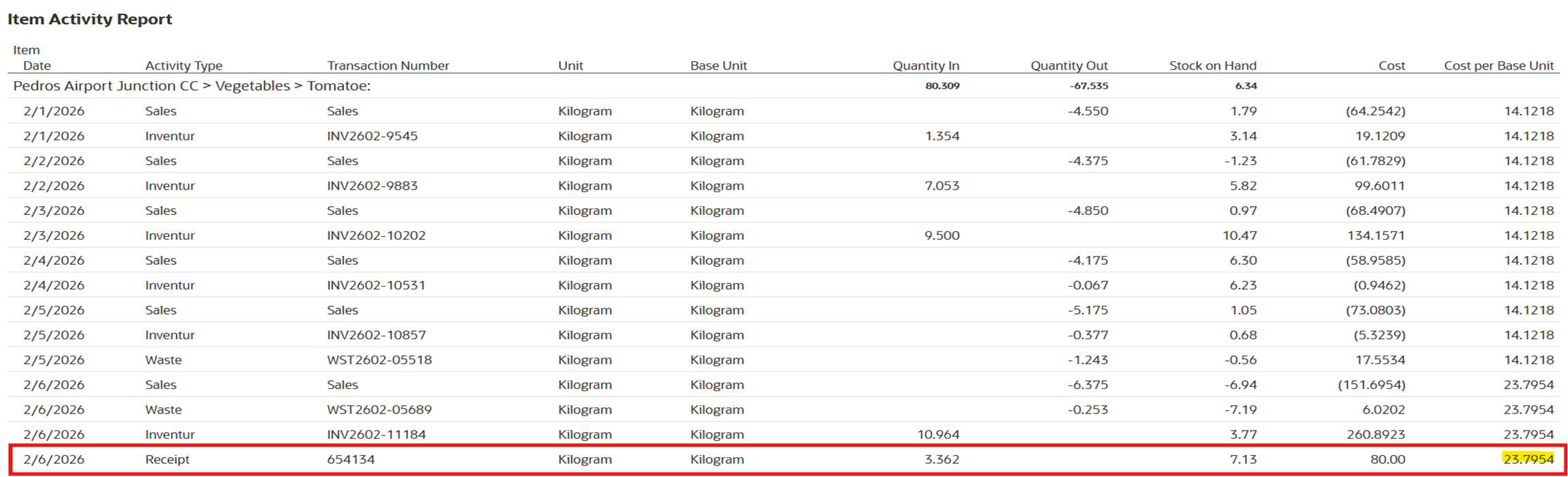
- Transactions like Invoices, Transfers and Waste will lead to variances for a specific date if captured after the stock count has been booked.
- This can be seen by using the Item Activity Report. If shown after the Inventur, as shown below it means the receipt was only captured after the count was booked.
- PLEASE ADVISE THE CLIENT TO USE BEST PRACTICES AND ENSURE ALL TRANSACTIONS FOR A SPECIFIC DATE IS CAPTURE BEFORE AN INVENTORY COUNT IS BOOKED.
10. Menu Items Not Linked
- When Menu Items are not link it will cause stock variances.
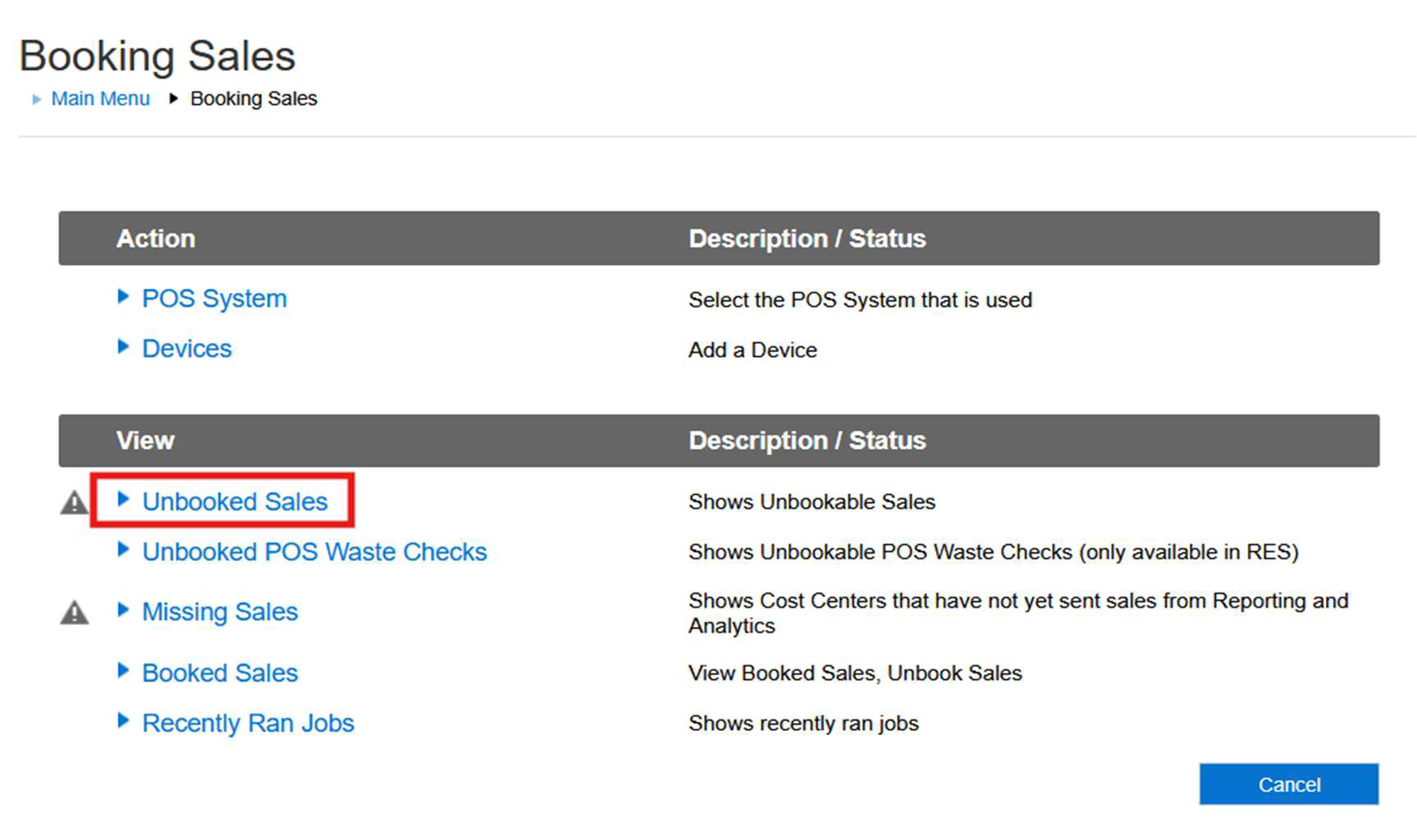
- Please navigate to: Maintenance>Booking Sales>Unbooked Sales
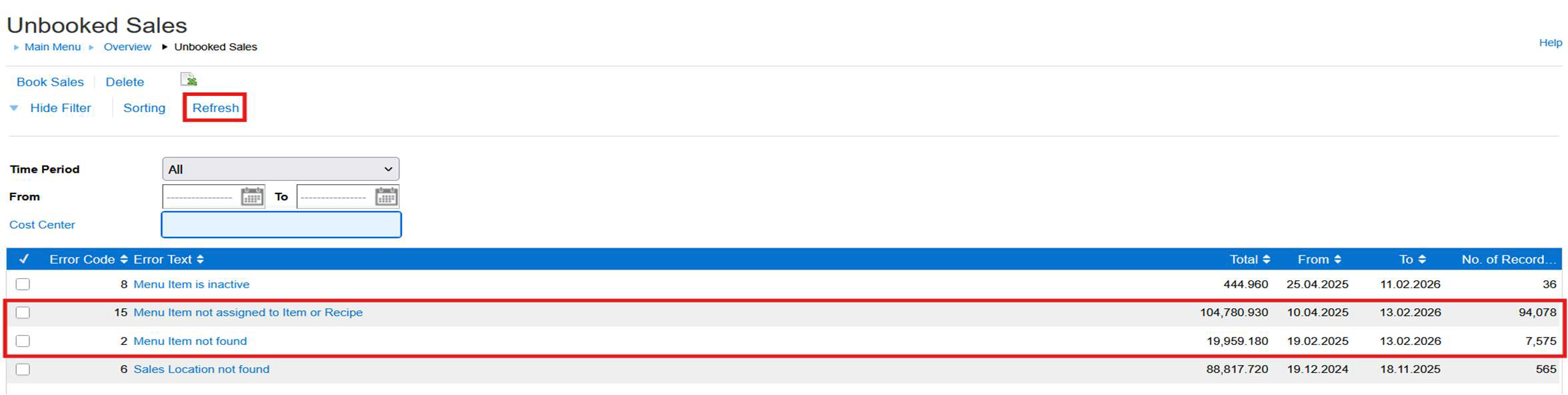
- Click on Refresh. Here Menu Items not assigned to Item or Recipe and Menu Item not Found can be viewed.
- If there are Menu Items that are not linked and affecting the stock depletion, escalate to the EM Team or back to the client so that the Menu Item can be linked.
11. The Booked Sales Job is Not Running
- If the Book Sales Job is not running, Stock will not deplete.
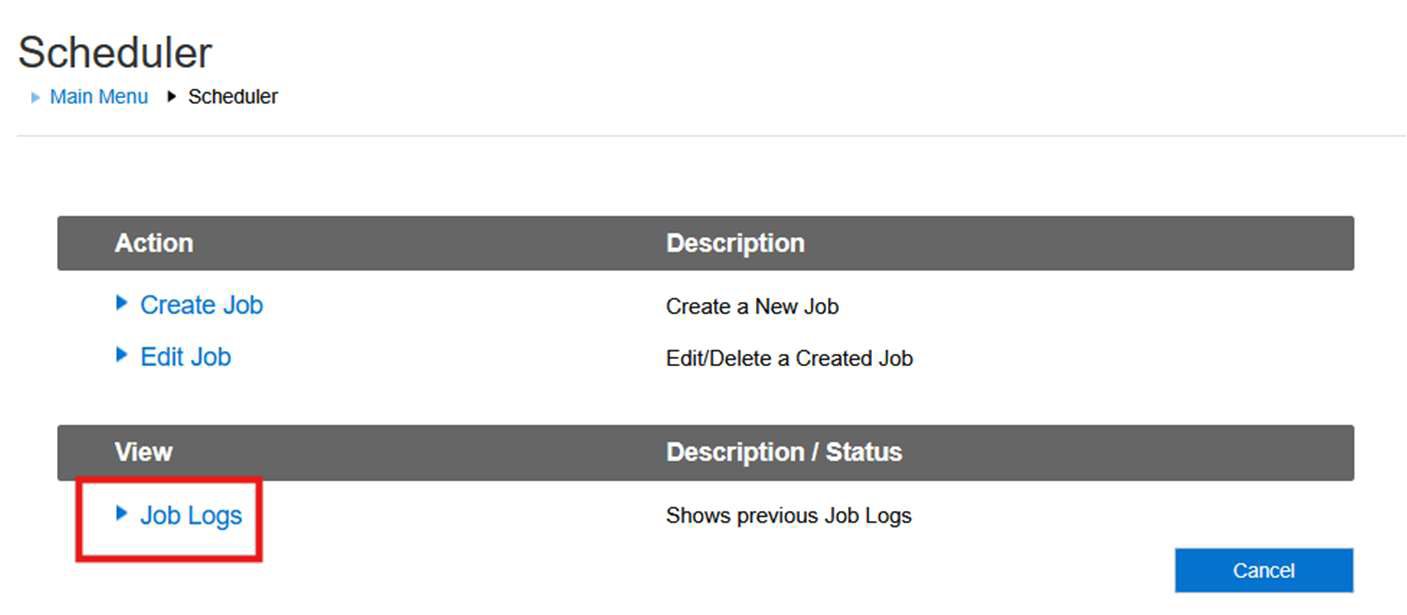
- To check if the Job is running, please navigate to: Maintenance>Scheduler>Job Logs
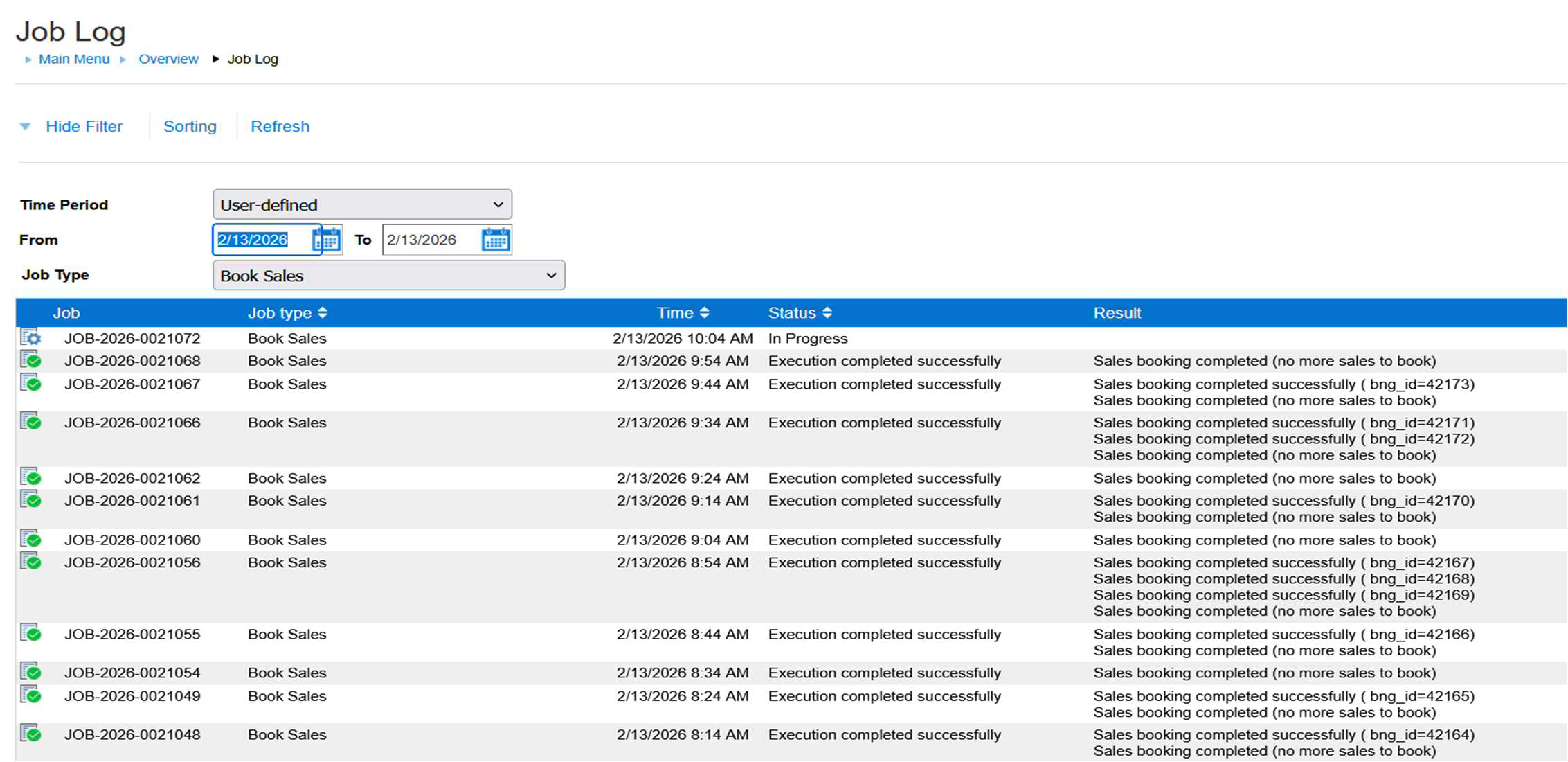
Select today’s date and the Job – Book Sales. The logs will indicate if the Job ran successfully. If there is an error on the logs please escalate to the MyInventory Team.
This lesson is not ready to be taken.