PC Settings Configuration Training Guide
Purpose of This Training
- System stability
- POS application
compatibility
- Network reliability
- Security compliance
Correct configuration reduces
support incidents, improves performance, and ensures consistency across
deployments.
User Account Control (UAC) Configuration
Prevent permission-related application failures.
Steps
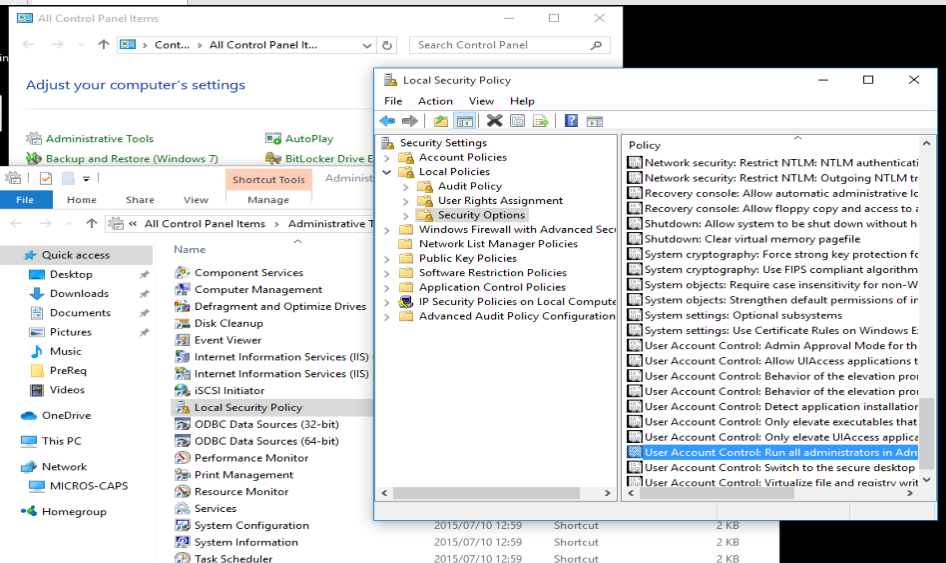
- Control Panel → Administrative Tools
- Local Security Policy → Local Policies →
Security Options
- Set Run all administrators in Approval
Mode → Disabled
TLS Configuration
Ensure secure
encrypted communication using modern, supported, and attack‑resistant
protocols.
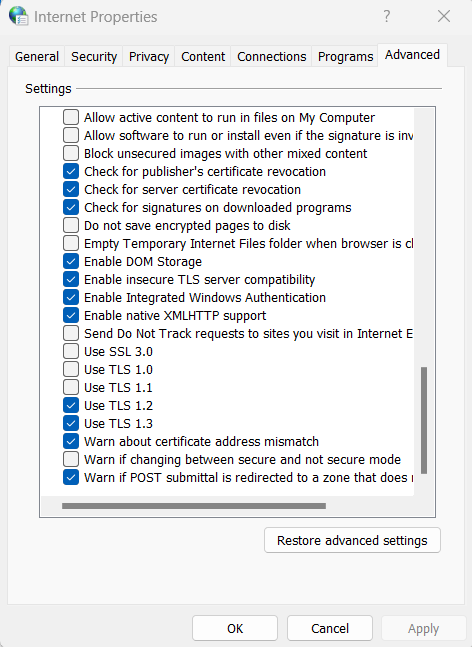
Steps- Open Control Panel → Internet Options
- Go to the Advanced tab
- Scroll down to the Security section
- Configure as follows:
✔ Enable (Required):- TLS 1.3 (Best performance and strongest security)
- TLS 1.2 (Minimum acceptable standard)
❌ Disable (Never enable):- SSL 2.0
- SSL 3.0
- TLS 1.0
- TLS 1.1
Windows Features
Configuration (IIS & .NET)
Ensure web services and POS applications function correctly.
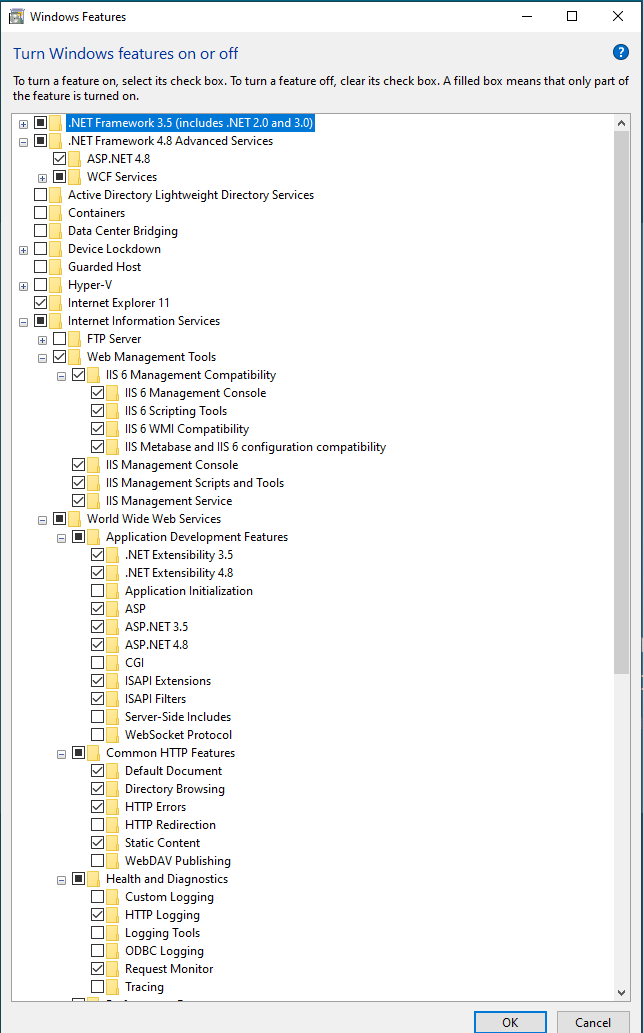
Required Features
- ✔
.NET Framework 3.5
- ✔
.NET Framework 4.8
- ✔
ASP.NET 4.8
IIS Configuration
Enable:- Web Management Tools
- IIS 6 Management Compatibility
- IIS Management Console
- World Wide Web Services
- Application Development Features
- ASP
- ASP.NET
- Common HTTP Features
- Default Document
- HTTP Errors
- Static Content
- Health and Diagnostics
- HTTP Logging
- Request Monitor
- Performance
- Static Content Compression
Network
Configuration
Ensure reliable POS
network communication.
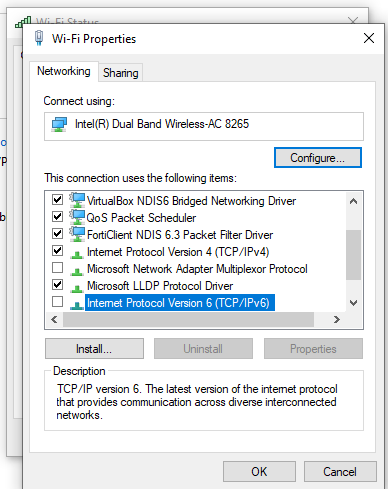
- Control Panel → Network and Sharing Center
- Change Adapter Settings
- Ensure Micros Network Adapter is
first in binding order.
Ethernet Settings- ✔
IPv4 → Enabled
- ❌
IPv6 → Disabled
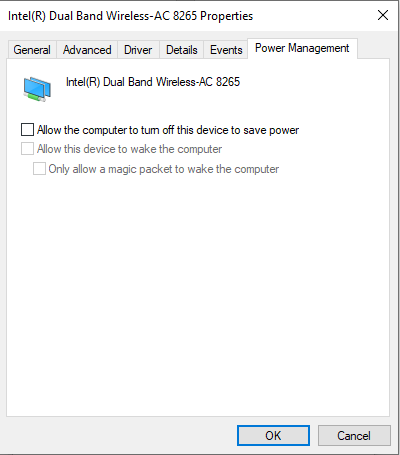
Power Management
(Network Adapter)
Disable all:- Allow computer to turn off device
- Allow device to wake computer
- Magic packet wake
Power Management
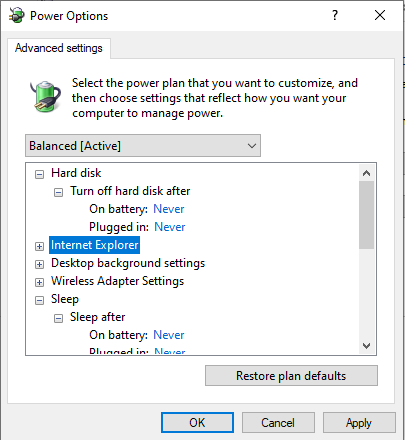
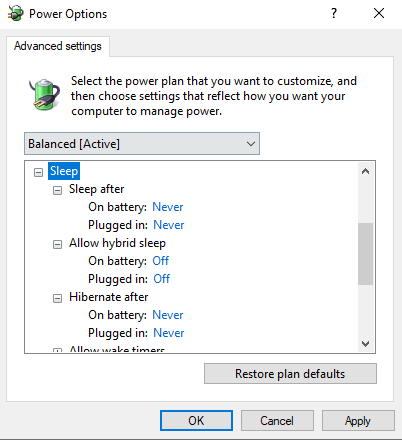
Settings
Prevent unexpected
shutdowns or sleep states.
Required Settings- Display off → Never
- Hard disk off → Never
- Sleep → Never
- Hibernate → Never
- USB selective suspend → Disabled
- Power button action → Shutdown
- PCI Express Link State → Off
Regional &
Language Settings
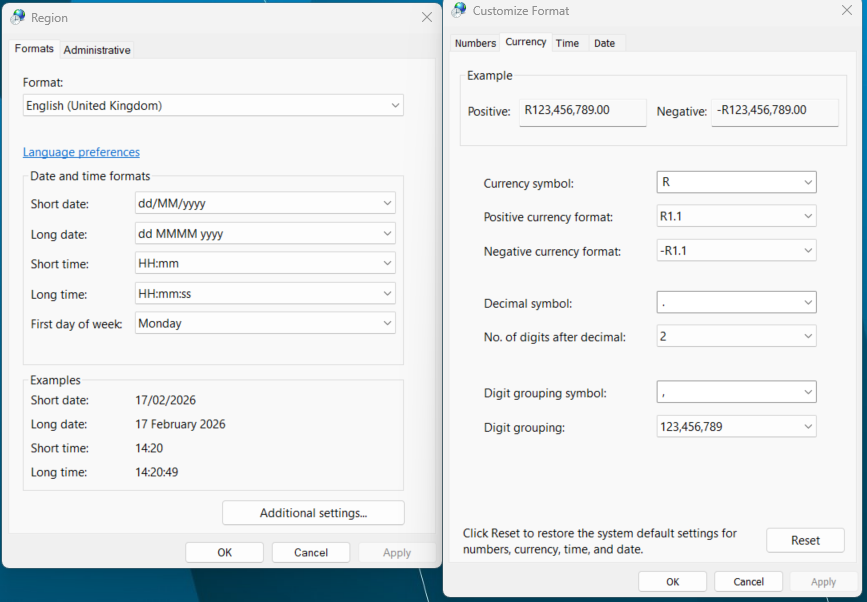
Ensure correct
currency, decimal, and data handling.
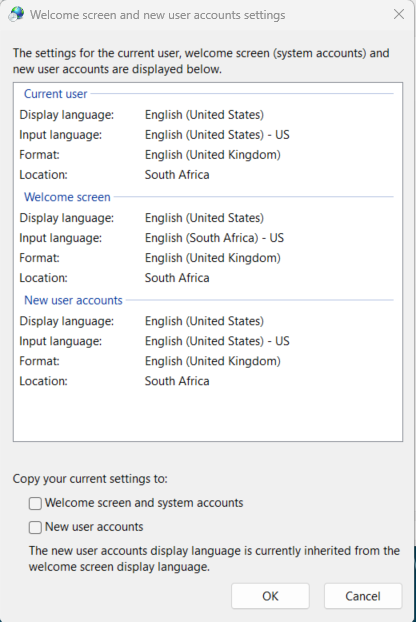
Windows Regional
Settings- Format: English (United Kingdom)
- Location: South Africa
- Currency: Rand (R)
Firewall & Antivirus Configuration
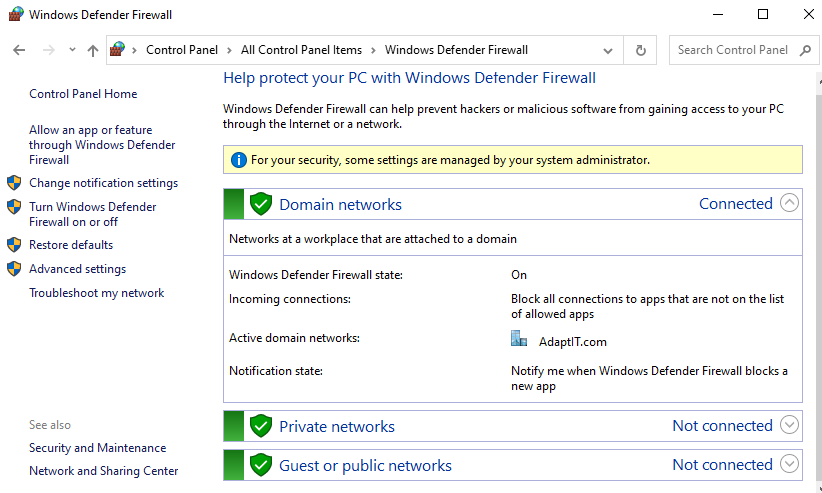
Firewall- ✔
Windows Defender Firewall
- ✔
Windows Defender Firewall must remain ON
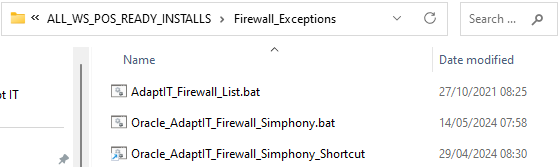
- Add product-specific exceptions using:
C:\ALL_WS_POS_READY_INSTALLS\Firewall_Exceptions\AdaptIT_Firewall_List.bat
or Oracle_AdaptIT_Firewall_Simphony.bat
- ❗
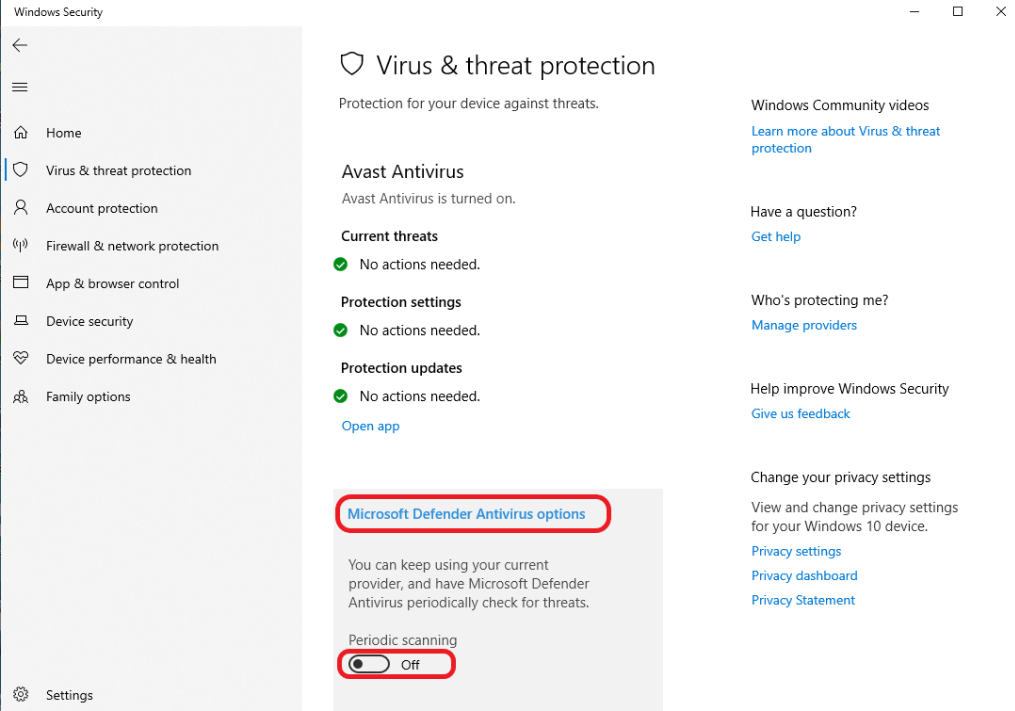
Only ONE antivirus may be installed
- If third-party antivirus is used:
- Windows Defender must be disabled
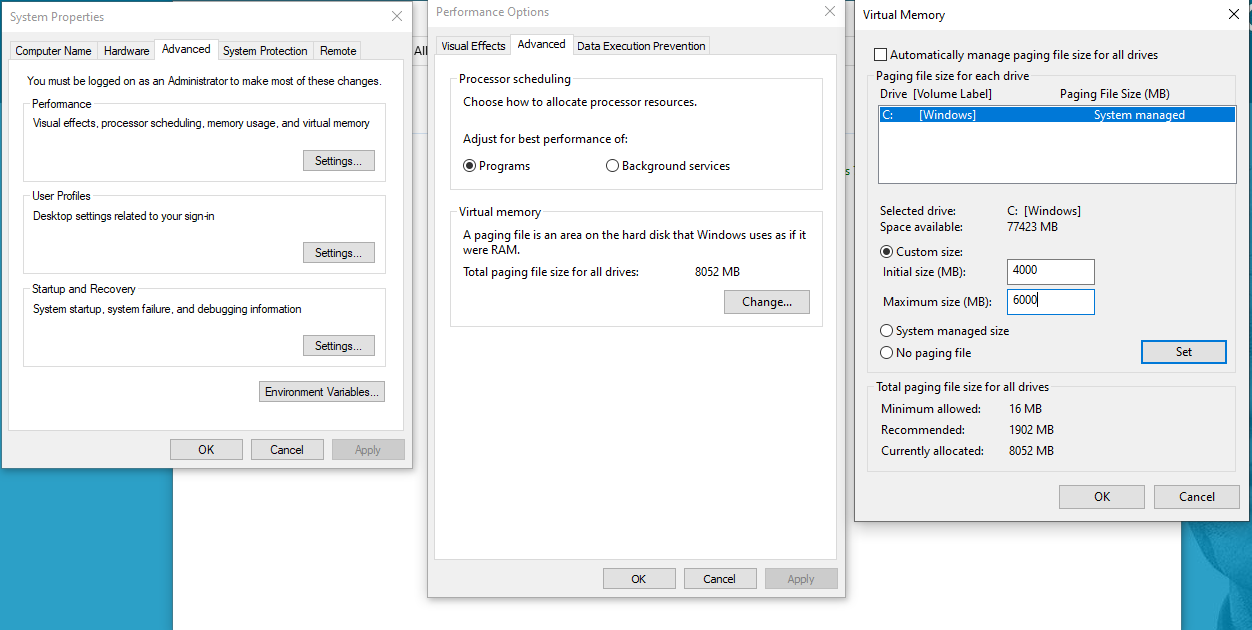
Virtual Memory Configuration
Prevent system freezes
and memory errors.
RAM Size |
Initial Size |
Maximum Size |
4GB |
4000 MB |
6000 MB |
8GB |
8000 MB |
12000 MB |
Path: System → Advanced System Settings → Performance → Advanced → Virtual Memory
Windows Updates
Best Practice
- Run updates outside trading hours
- Do not reboot during trading
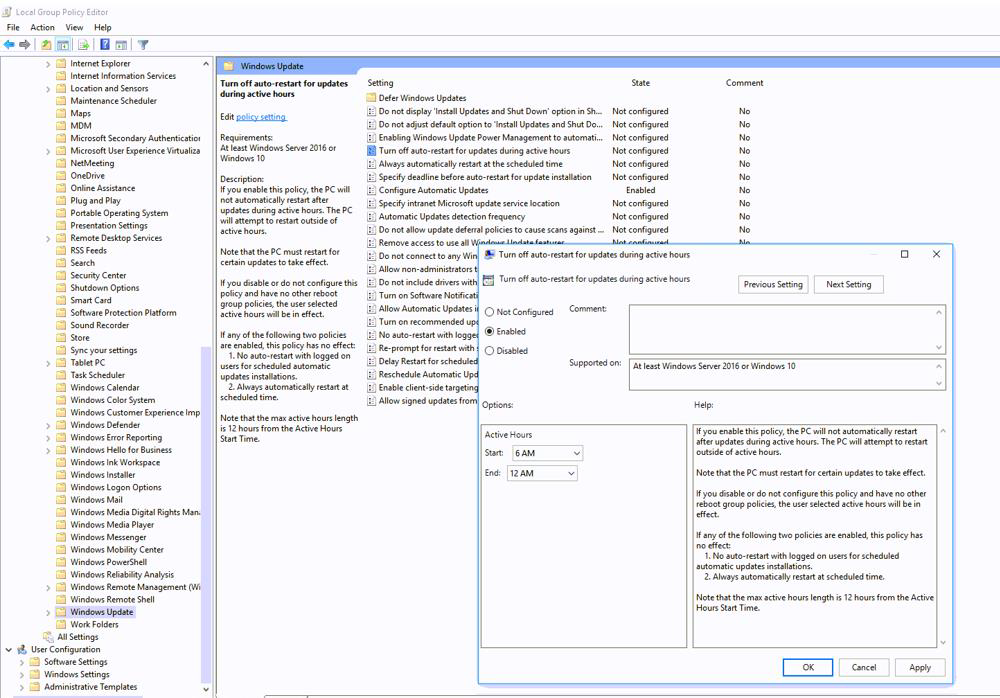
Policy
Configuration
Disable auto-restart
during active hours:
- Start: 06:00
- End: 00:00
Path: gpedit.msc →Administrative
Templates →Windows Components →Windows Update
This lesson is not ready to be taken.